


CATIA Files
Learn how to open, view, analyze, and export CATIA Files.
What is a CATIA file?
CATIA files are digital files created using CATIA (Computer Aided Three-dimensional Interactive Application), a powerful software suite developed by Dassault Systèmes. CATIA is primarily used for:
- CAD (Computer-Aided Design): Creating 3D models of parts and assemblies.
- CAM (Computer-Aided Manufacturing): Planning and simulating manufacturing processes.
- CAE (Computer-Aided Engineering): Analyzing the performance of designs through simulation.
- PLM (Product Lifecycle Management): Managing all aspects of a product’s lifecycle from conception to disposal.
Key CATIA File Types:
CATIA uses specific file extensions to store different types of data:
CATPart (.CATPart): This is the primary file extension for individual 3D part models created in CATIA. It contains the geometry and features of a single component.
CATProduct (.CATProduct): This file extension is used for assemblies, which are collections of multiple parts (.CATParts) and potentially other sub-assemblies. It defines the structure and relationships between the components.
CATDrawing (.CATDrawing): This format is used for 2D drawings created from 3D parts and assemblies. It includes dimensions, annotations, and different views of the model.
CGR (.cgr): This stands for CATIA Graphical Representation. It’s a lightweight, faceted representation of a 3D model, often used for visualization and sharing when the full model data is not required.
3DXML (.3dxml): This is another lightweight format for sharing 3D models, allowing users to view them without needing the CATIA software.
Viewing CATIA data with Glovius:
Many users in the Automotive and Aerospace industries use CATIA as their CAD software or work with CATIA files. However, CATIA licenses are expensive and require user training and high-performance hardware. If you just want to view CATIA files and perform basic analysis, Glovius is the right fit for you. Glovius is a modern CATIA Viewer that is affordable, easy to use, and opens all CATIA and popular CAD file formats without requiring a CATIA license.
This specialized viewer provides a comprehensive suite of tools for inspecting and collaborating on CATIA data, including Measurement, Sectioning, Thickness Analysis, PMI (Product and Manufacturing Information) access, Attribute including Masking and Part Notes viewing, Capture data extraction from CATPart and CATProduct files, and Markup functionalities.
Opening CATIA files is straightforward: double-click a .CATPart, .CATProduct, or .CATDrawing file to launch it in Glovius. A 15-day free trial is available, and licenses for Glovius and Glovius PLUS (both Subscription and Permanent) provide full support for viewing and analyzing CATIA files.
Glovius subscriptions for viewing CATIA Files start at $60/month and $480 ($399) /year. Visit the online store to compare various subscriptions.
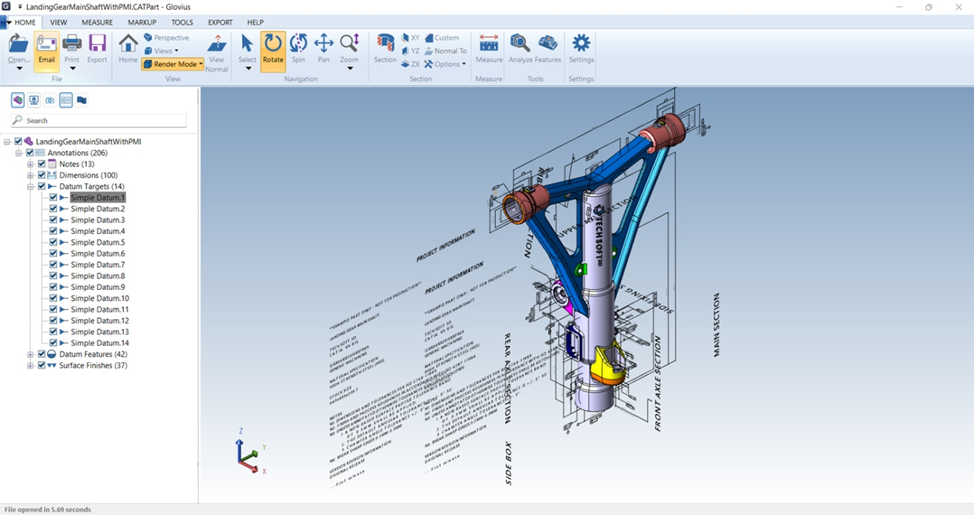
Export CATPart and CATProduct Files
- Convert CATPart and CATProduct files to STEP (AP203, AP214, AP242, and AP242 STPZ) (requires PLUS license)
- Convert CATPart and CATProduct files to IGES, 3MF, and Parasolid (X_T) (requires PLUS license)
- Save CATPart and CATProduct files to Image formats (BMP, JPG, PNG)
- Export CATPart and CATProduct files to 3D PDF and 3D HTML
- Export CATPart and CATProduct files to STL, 3DS, and OBJ
- Create a PowerPoint presentation from CATPart and CATProduct files (for further use in Microsoft PowerPoint)
- Create a Bill of Materials (BoM) report from a CATProduct file. The Bill of Materials report can be created as a PDF, a HTML or a CSV file (for further use in Microsoft Excel).
Cloud Support
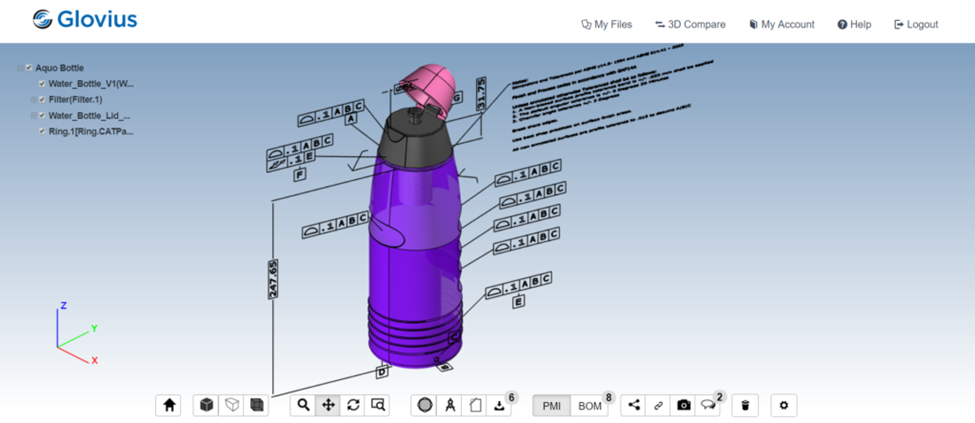
In your browser, Glovius Cloud also supports viewing CATIA files. Register for a free account and upload your CATIA and other CAD files to view them in your browser. Glovius Cloud website works in all popular browsers like Google Chrome, Safari, Firefox, and Microsoft Edge. Since Glovius Cloud is an online CATIA File Viewer, it can run on Windows, Mac, Linux, or any other operating system that supports a modern web browser.
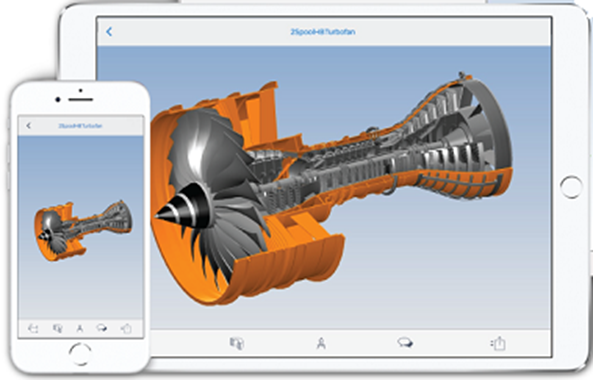
On mobile devices, like iPhones, iPads, or Android devices, download Glovius for iOS and Glovius for Android to view CATIA files. Glovius mobile apps are powered by Glovius Cloud. Upload your CATIA files from within the app, and view CATIA and other CAD files on the go.
CATIA files hold valuable design and engineering information, which is crucial for product development in demanding industries. While CATIA itself is a powerful tool, Glovius provides an accessible and cost-effective solution for viewing, analyzing, and even exporting CATIA data. Whether you’re on your desktop, using a web browser, or on the go with your mobile device, Glovius empowers you to unlock the potential of your CATIA files.