


Thank You for Your Purchase! 🎉
We appreciate your business.
Please follow the steps below to download Glovius and request your license:
📥 Download the Glovius Installer
Download the latest version of the software here:
🔑 Request Your License File
To generate your license, please send your computer’s Host ID (MAC Address) to: support@glovius.com.
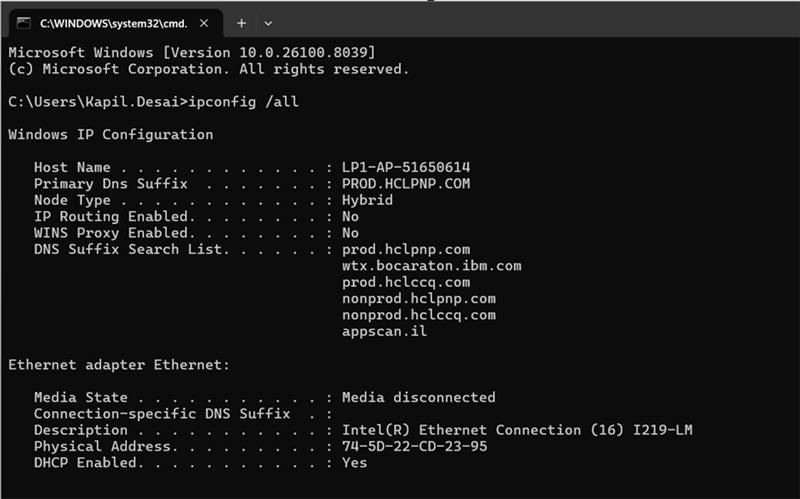
Steps to find your Host ID:
- Open the Command Prompt (search for “cmd” in the Windows Start menu).
- Type
ipconfig /alland press Enter. - Your Host Name is listed under “Windows IP Configuration”.
- Your Host ID is the “Physical Address” under your primary network adapter.
- For floating licenses, please share the names of the server.
📞 Need Help?
If you need any assistance, please reach out to us at support@glovius.com. We are here to help!